Buying Guides
Chromebook or Windows Laptop for Online Classes in Kenya?

By Joo, 6 years advising buyers at Joo Computers Ltd
Published 31 October 2026 · Updated 31 October 2026 · 7 min read
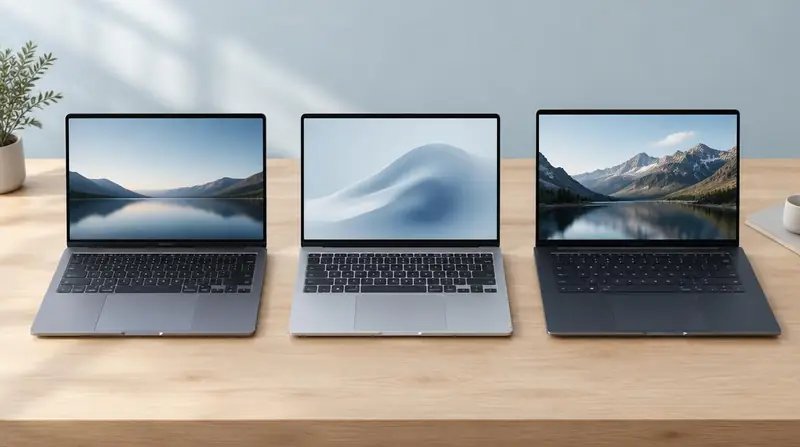
For online classes, the best laptop is the one that runs your school’s tools reliably—not necessarily the one with the longest list of specifications. A Chromebook can handle everyday study well, but it is not a direct replacement for every Windows laptop. For students in Kenya, the decision also depends on mobile data costs, power interruptions and whether you are buying new or ex-UK/refurbished. Check the full cost of studying, including internet access and any battery replacement, rather than judging the laptop by its purchase price alone.
1. Start with your course requirements
A Chromebook runs ChromeOS, Google’s operating system—the main software that controls the laptop. It is designed around websites and online services. A Windows laptop runs Microsoft Windows and supports a wider range of installed desktop programs.
Ask your department for its software list and online exam requirements before choosing. For general reading, essays and video lessons, either can work. Engineering, design, accounting and some computing courses may require particular Windows programs, although requirements vary by institution.
- Confirm the platforms used for lessons, assignments and exams.
- Ask whether you need installed Microsoft Office or whether browser-based documents are accepted.
- Check requirements for your whole course, not just the first semester.
2. Is a Chromebook enough for Google Classroom and Zoom?
Yes, a supported Chromebook is generally enough for Google Classroom, Google Docs, email and ordinary Zoom lessons through Zoom’s web app. You can join classes, submit assignments and collaborate on documents. Google Meet also works in the browser.
However, browser-based meeting tools may not offer every feature available in their Windows desktop versions. If your lecturer expects a particular recording, presentation or exam-monitoring feature, confirm that it works on ChromeOS.
Aim for 8GB of RAM if your budget allows. RAM is the laptop’s short-term working memory; more of it helps when a video lesson, documents and several browser tabs are open together. A 4GB Chromebook can cover lighter study, but it offers less room for multitasking.
3. What can’t a Chromebook do compared with a Windows laptop?
A Chromebook cannot normally install and run standard Windows programs. Microsoft Word and Excel are available through the browser, but their web versions do not include every desktop feature. Advanced Excel macros—automated tasks used in some spreadsheets—and certain add-ins can require desktop Office.
Full Windows versions of applications such as AutoCAD, specialised accounting packages and some laboratory software do not run directly on ChromeOS. Some Chromebooks support Android apps or Linux, an alternative software environment, but these are not guaranteed substitutes for the exact programs your course requires.
Exam software is another important limitation: some secure browsers and remote supervision tools support Windows but not ChromeOS. Windows also generally offers broader support for older printers and specialist accessories. Check the exact application or device rather than assuming compatibility.
4. Think about mobile data, offline work and power
Neither laptop makes live online lessons possible without internet. Video calls can use substantial data on either system, so budget for home Wi-Fi, campus access or a phone hotspot. Turning off your camera when permitted may reduce usage; downloading notes once also helps avoid repeated downloads.
A Chromebook is not completely useless offline. You can prepare supported Google files for offline editing and save readings locally, but you should set this up and test it before losing your connection. Windows can be more flexible for offline work when the necessary programs and files are already installed.
Battery condition matters more than promises in an old product listing. For power interruptions or studying away from a socket, ask for a practical battery test. Check that the supplied charger works properly and that the laptop connects reliably to your phone’s hotspot.
5. Compare Kenyan budgets and useful specifications
As a rough shopping budget rather than a price guarantee, KSh 15,000–25,000 may put you among older refurbished Chromebooks and entry-level or older Windows laptops. Around KSh 25,000–40,000 can offer more scope for a refurbished Windows business laptop with 8GB RAM and an SSD. Actual prices vary with age, condition, specifications and warranty.
An SSD, or solid-state drive, is storage that makes opening programs and files faster than an older mechanical hard drive. For Windows, 8GB RAM and a 256GB SSD are sensible starting targets. For a Chromebook, aim for 8GB RAM and at least 64GB storage, with more space if you keep many downloaded files.
Do not choose by an Intel Core i5 or i7 label alone: the processor’s age and model matter. For Windows, confirm official Windows 11 compatibility. Normal Windows 10 support ended on 14 October 2025, so a cheap Windows 10-only laptop needs careful consideration of security-update options and their limits.
- Prioritise a readable screen, comfortable keyboard and working webcam and microphone.
- Check ports for headphones, a USB drive and any monitor you use.
- Allow room in your budget for data, a headset and possible battery costs.
6. Check ex-UK and refurbished laptops carefully
An ex-UK laptop is generally a used import; the label does not guarantee a thorough refurbishment. Refurbished devices can offer good value, but battery wear, keyboard layout, cosmetic condition and warranty coverage vary.
For a Chromebook, check the exact model’s Auto Update Expiration date on Google’s official support list. This tells you when its scheduled automatic software updates end. A laptop may continue working afterwards, but losing updates is a poor trade-off for a device used for school accounts and personal information.
Ask the seller to demonstrate setup and provide written warranty and return terms. A former school or company laptop must be properly released from its organisation’s management; simply resetting it may not remove that restriction.
- Test the screen, hinges, keyboard, trackpad, Wi-Fi, webcam, speakers and charging port.
- Check battery behaviour during a video call rather than relying only on the displayed estimate.
- Confirm that a Chromebook does not require a previous organisation’s login or enrolment.
- For Windows, check activation, official Windows 11 eligibility and the absence of organisation-controlled setup.
7. Make the final choice
Choose a Chromebook when your school confirms browser-based tools are enough, you mainly write assignments and attend online lessons, and the model has updates remaining for your intended years of study. It can be a straightforward option, provided its limitations fit your course.
Choose Windows when you need specific installed applications, advanced Office work or confirmed compatibility with your institution’s exam tools. It is also the safer default if your future course requirements are uncertain—but only if the laptop is supported and in sound condition.
Before paying, try a typical study session: join a meeting, open your learning portal, edit an assignment and upload a file. That practical check is more useful than choosing purely by brand or appearance.
Frequently asked questions
Can I use a Chromebook with my phone’s hotspot?
Yes, a Chromebook can connect to a phone’s Wi-Fi hotspot, just like a Windows laptop. Your experience depends on mobile coverage, available data and network congestion. Test the connection where you normally study.
Can I submit Word documents from a Chromebook?
Yes. You can use Word in the browser or download a Google Docs document in Word format. Check the downloaded file before submitting, because complex layouts, fonts and references may not look exactly the same.
Will a Chromebook work for university online exams?
It depends on the university’s exam platform and any required secure browser or monitoring software. Ordinary browser-based assessments may work, while some supervised exam systems require Windows or another explicitly supported operating system. Ask your exams office about the exact tool before buying.
Is a cheap ex-UK Chromebook better than a refurbished Windows laptop?
Not automatically: compare software support, battery condition, RAM and course compatibility. A low-priced Chromebook close to its update deadline may be poor value. A refurbished Windows laptop can be more versatile, but an unsupported model or worn battery can also create extra costs.
Do I need to pay for Microsoft Office separately?
Possibly, depending on the features you need and whether your institution provides a Microsoft 365 licence. Browser-based Office offers basic features with a Microsoft account, while desktop applications generally require an appropriate licence. A desktop Office licence does not make the Windows version run on a Chromebook.
Advice for your work or course
Joo Tech Finder is an educational initiative by Joo Computers Ltd. Browse all 61 guides.