Quick Answers
How do I check if an ex-UK laptop officially supports Windows 11?

By Joo, 6 years advising buyers at Joo Computers Ltd
Published 30 October 2026 · Updated 30 October 2026 · 4 min read
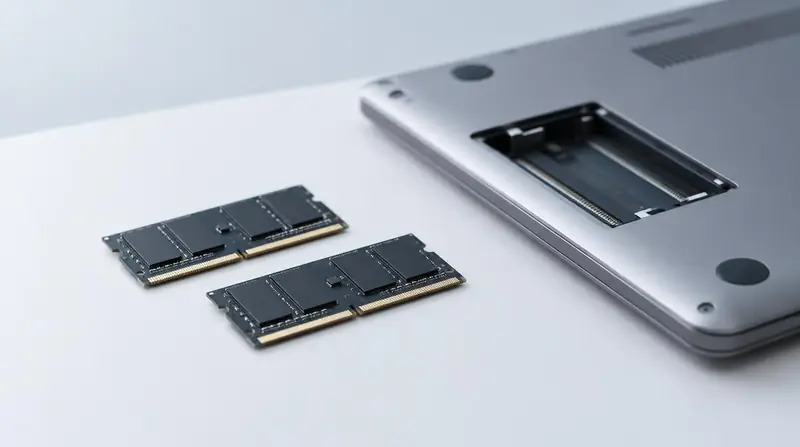
An ex-UK laptop can be good value for a Kenyan buyer, but its age and configuration matter more than the label. Two similar-looking laptops may have different Windows 11 eligibility. Check the actual unit before paying—not just the advert or a photo of Windows 11 running.
Start with Microsoft PC Health Check
Ask the seller to open Microsoft’s official PC Health Check app and select “Check now” under Windows 11 eligibility. If it is missing, download it from Microsoft’s website. Read the results together: you want confirmation that the laptop meets the requirements.
For a remote purchase in Kenya, request a live video showing the laptop’s identity and the check results. A screenshot from another unit with the same model name is not enough.
Check TPM 2.0 before buying
TPM, short for Trusted Platform Module, is a security feature Windows 11 requires. Press Windows key + R, type tpm.msc and press Enter. Look for “The TPM is ready for use” and “Specification Version: 2.0”.
If no compatible TPM is found, it may be disabled in the laptop’s firmware settings, often called BIOS or UEFI. Ask the seller to enable it and repeat the check before payment. Do not accept a promise that it can definitely be added later.
Verify the processor and Secure Boot
Find the full processor name under Settings → System → About. “Core i5” alone is not enough: the exact model must appear on Microsoft’s supported processor list for the Windows 11 release you intend to use. PC Health Check helps assess processor eligibility.
Secure Boot helps prevent untrusted software from loading at startup. Press Windows key + R, type msinfo32 and check the entries below. Windows 11 also requires at least 4 GB of memory and a storage device of 64 GB or larger; for everyday use, 8 GB of memory and an SSD are more practical.
- BIOS Mode should show UEFI.
- Secure Boot State showing “On” confirms it is enabled.
- “Off” does not necessarily mean unsupported. Ask the seller to verify capability and configure it safely; do not change firmware settings blindly.
Do not confuse installed with officially supported
Windows 11 can be installed on some unsupported laptops by bypassing its checks. A working desktop—or an activated Windows licence—does not prove official hardware support. Unsupported installations are not guaranteed updates and may face compatibility problems.
Whatever your KSh budget, make a successful compatibility check part of the purchase decision. Ask for written return terms if the actual unit fails the promised requirements. Ex-UK condition grades describe wear, not Windows 11 eligibility.
Frequently asked questions
Can this used laptop run Windows 11 without bypassing requirements?
It can if the actual unit meets Microsoft’s requirements, including a supported processor, TPM 2.0 and Secure Boot capability. Ask for a passing PC Health Check result before buying; Windows 11 already being installed is not sufficient evidence.
How do I check TPM 2.0 before buying a laptop?
On the laptop, press Windows key + R, enter tpm.msc and look for Specification Version 2.0 and a ready status. If TPM is missing or disabled, have the seller resolve it and demonstrate a successful check before you pay.
Is every eighth-generation Intel laptop Windows 11 compatible?
Many eighth-generation Intel Core processors are supported, but that description alone is not a guarantee for the whole laptop. Check the exact processor and run PC Health Check to confirm the other requirements too.
Should I buy a cheaper ex-UK laptop that only supports Windows 10?
Standard Windows 10 support ended on 14 October 2025, so it is not a good default for an internet-connected laptop without a security-update plan. Eligible devices may have temporary Extended Security Updates, or you could consider a supported alternative operating system if it runs your apps. Compare that extra effort with buying a Windows 11-compatible unit.
Advice for your work or course
Joo Tech Finder is an educational initiative by Joo Computers Ltd. Browse all 61 guides.