Quick Answers
My HP laptop power light is on but the screen is black. What should I do?

By Joo, 6 years advising buyers at Joo Computers Ltd
Published 11 November 2026 · Updated 11 November 2026 · 4 min read
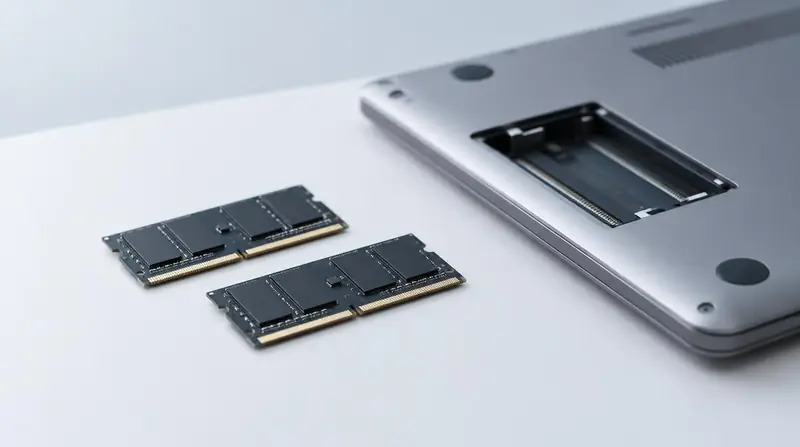
A power light means your HP laptop is receiving power, but it does not prove that it has started successfully. A black screen can come from a stuck startup, a display problem, or an internal fault. Try these checks in order. They apply to both new and ex-UK/refurbished HP laptops, though buttons and battery designs vary by model.
1. Check brightness and whether Windows is responding
Press the brightness-up key several times; you may need to hold Fn as well. If the screen went black during normal use and Windows seems to be running, press Windows + Ctrl + Shift + B. This restarts the graphics driver—the software that controls the display—and may produce a beep or brief flicker.
If the problem began during a BIOS update—the update for the laptop’s startup software—leave the charger connected and do not force it off while the update may still be running.
2. Perform a power reset
A power reset can clear a stuck power state without deleting saved files, although forcing a shutdown loses unsaved work.
- Hold the power button until the laptop switches off.
- Disconnect the charger, USB devices, memory cards and any docking station.
- Remove the battery only if it is designed to detach without opening the laptop. Leave an internal battery alone.
- With the charger disconnected, hold the power button for about 15 seconds.
- Reconnect the charger, leave accessories disconnected, and turn the laptop on. A removable battery can stay out for this test.
3. Test the screen and look for clues
Connect the laptop to a TV or monitor using a compatible cable, such as HDMI, and select the correct input on that display. Use the laptop’s display-switch key if necessary. An external picture suggests a problem with the laptop’s screen, its cable or its settings; no external picture alone does not prove the main circuit board has failed.
Shine a torch at an angle onto the laptop screen. A faint image suggests a backlight problem—the light behind the screen is not working. Also note whether the HP logo appears: a screen that goes black only after the logo may indicate a Windows or graphics-software problem.
Record any repeating Caps Lock or Num Lock flashes and beeps. HP uses these as fault clues, but their meaning depends on the model and the exact pattern.
4. Know when to get help
If these checks do not help, contact HP support or a reputable laptop technician in Kenya. Possible causes include faulty RAM—the laptop’s working memory—a screen fault, or a startup-software or main-board problem. Ask for a diagnosis and a written quote in KSh before approving replacement parts.
For an ex-UK/refurbished laptop, check the seller’s warranty before anyone opens it. Avoid random BIOS downloads, repeated forced restarts or a Windows reinstall as your first fix. Tell the technician to preserve your files. If you notice swelling, a burning smell or unusual heat, stop using it and disconnect the charger if safe.
Frequently asked questions
Why is my HP laptop not displaying anything when it turns on?
The power light can come on even when the laptop cannot complete startup. Possible causes include a stuck power state, a display fault, faulty memory or a software issue; the light alone cannot identify which one.
How do I fix an HP laptop with a black screen but the power light is on?
Start with brightness checks and the power reset above, then test a TV or monitor. If neither screen shows anything, record any flashing-light pattern and get a diagnosis rather than buying a replacement screen immediately.
Will a power reset delete my documents?
No, a power reset does not erase saved documents or reinstall Windows. However, anything you had not saved before forcing the laptop off may be lost.
How much will a black-screen repair cost in Kenya?
There is no reliable single price because a software fix, screen replacement and main-board repair involve different work. Give the technician your exact HP model and ask for a KSh quote covering diagnosis, parts, labour and the repair warranty before agreeing.
Advice for your work or course
Joo Tech Finder is an educational initiative by Joo Computers Ltd. Browse all 61 guides.