Buying Guides
What Is the Best Laptop for an Accountant?

By Joo, 6 years advising buyers at Joo Computers Ltd
Published 2 October 2026 · Updated 2 October 2026 · 8 min read
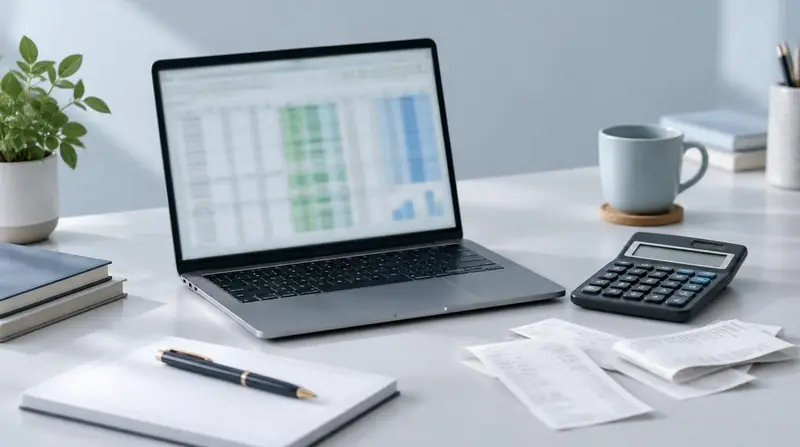
An accountant’s laptop needs to make everyday work comfortable: entering figures, checking spreadsheets, switching between client files and attending online meetings. The right choice depends more on your workload and working habits than on buying the most powerful machine. In Kenya, both new and ex-UK refurbished business laptops can make sense. Start with the software you use, how often you travel and your total budget, then compare specifications and condition rather than choosing by brand alone.
1. Start with your accounting software
For Excel, browser-based accounting systems, email and routine bookkeeping, a well-chosen mid-range laptop is usually enough. Large spreadsheets, several company databases or Power BI reports can need more memory and processing power.
Windows is usually the simplest choice when your office relies on Windows desktop accounting software, Excel add-ins or older business systems. A Mac may suit browser-based work, but confirm compatibility with your exact applications, licence and employer’s systems before buying.
- List the applications you use, including their versions and any Excel add-ins.
- Check the software provider’s recommended requirements, not just its minimum requirements.
- Ask whether your data is stored on the laptop, in the cloud or on an office server.
2. Processor type: a Core i5 or Ryzen 5 is usually sufficient
The processor, also called the CPU, handles calculations and runs applications. A recent Intel Core i5, Intel Core Ultra 5 or AMD Ryzen 5 is a sensible starting point for most accounting work. A Core i7 or Ryzen 7 can help with demanding calculations and reporting, but is not essential for routine bookkeeping.
The exact processor model matters more than the i5 or i7 label alone. A newer i5 can outperform an older i7. When comparing refurbished laptops, ask for the full processor model and verify official Windows 11 compatibility; standard Windows 10 support ended in October 2025.
Processors designed for thin business laptops generally balance speed, heat and battery use well. Most accountants do not need a gaming laptop or a separate graphics chip, which can add weight and cost without much benefit for everyday accounting.
3. RAM required: aim for 16GB and SSD storage
RAM is the laptop’s short-term working memory. It helps you keep Excel, accounting software, browser tabs and video calls open together. For most accountants buying today, 16GB is a practical target.
Storage holds your applications and files. Choose an SSD, or solid-state drive, rather than an older mechanical hard drive: it makes starting Windows and opening applications feel much quicker. A 512GB SSD is a useful baseline, although storage capacity does not replace a proper backup.
- 8GB RAM: workable for light bookkeeping and smaller spreadsheets, particularly if it can be upgraded later.
- 16GB RAM: recommended for regular accounting work and multitasking.
- 32GB RAM: worth considering for very large workbooks, complex data models or heavier Power BI work.
- 256GB SSD: usable for light, cloud-focused work; 512GB gives more room for applications and local files.
- Check upgrade options before buying: some laptops have RAM permanently attached to the main board.
4. Keyboard and screen: make daily data entry easier
An alphanumeric keyboard contains letters and numbers, so essentially every standard laptop has one. For accountants, the more useful feature to ask for is a dedicated numeric keypad: the separate block of number keys usually found on the right.
Many 15.6-inch and 16-inch laptops include a numeric keypad, but not all do. A 14-inch laptop usually leaves it out to save space. If you travel frequently, a compact external USB keypad can offer a good compromise.
Aim for at least a Full HD screen, meaning 1920 × 1080 pixels, for readable text and useful spreadsheet space. A 1920 × 1200 screen adds some vertical room. Check that the display is comfortable at your preferred text size; resolution alone does not guarantee readability.
- Test the number keys, decimal key, Enter key and arrow keys.
- Check the keyboard layout: ex-UK machines may place symbols differently from a US keyboard.
- Look for a non-glossy screen if reflections bother you.
- For long desk sessions, consider an external monitor and full-size keyboard.
5. Portability: choose for your actual working day
If you regularly visit clients or move between offices, a 14-inch laptop around 1.3–1.6kg is a useful target. Remember to include the charger’s weight. If you mainly work at one desk, a larger screen and built-in numeric keypad may matter more than saving a few hundred grams.
Battery condition is especially important on refurbished machines. Advertised battery life for a new model does not tell you how long a used unit will last. Ask for a battery-health report and, where possible, test it with Wi-Fi on and normal office applications running.
Check the connections you need for external screens, flash drives and office equipment. USB-C charging can make travelling easier, but not every USB-C port supports charging or video output.
6. Budget in Kenya: balance specifications and condition
The following KSh ranges are broad planning estimates, not quotations. Prices vary with processor generation, condition, warranty, exchange rates and included software. Compare complete specifications rather than treating a budget band as a guarantee of quality.
Ex-UK generally describes where a used laptop came from; it does not prove how thoroughly it was refurbished. A well-checked former business laptop can offer good value, but battery wear, cosmetic damage and limited warranty cover are real trade-offs.
- Around KSh 30,000–45,000: consider refurbished business laptops for everyday bookkeeping. Prioritise Windows 11 compatibility, an SSD and a route to 16GB RAM.
- Around KSh 45,000–75,000: compare newer refurbished business models with entry-level new laptops. Look for 16GB RAM, a 512GB SSD and a comfortable screen.
- Around KSh 75,000–120,000: compare recent new mid-range or business laptops, focusing on build quality, battery life and warranty rather than processor branding alone.
- Above KSh 120,000: spend more only for a clear need, such as demanding reporting, lower weight, a better display or stronger support.
- Allow for accounting software, Microsoft Office if required, backup storage, accessories and any battery or memory upgrade.
7. Final recommendation and checks before payment
For a desk-based accountant, start with a 15.6-inch or 16-inch Windows laptop with a numeric keypad, a recent Core i5 or Ryzen 5, 16GB RAM and a 512GB SSD. For frequent client visits, choose similar specifications in a lighter 14-inch model and add an external keypad.
Business ranges such as Lenovo ThinkPad, HP ProBook or EliteBook, and Dell Latitude are worth comparing, particularly when refurbished. However, the exact model, condition and warranty matter more than the family name.
Because accounting files contain sensitive information, check that the laptop supports device encryption and that you can keep Windows updated. Set up automatic backups and secure account access before storing client data.
- Confirm the exact processor, RAM, SSD capacity and screen resolution.
- Test the keyboard, webcam, Wi-Fi, charging port and other connections.
- Check for screen damage, loose hinges and signs of battery swelling.
- For refurbished units, confirm there is no previous organisation’s management lock or firmware password.
- Get written warranty terms, including battery coverage, and a receipt showing the laptop’s details.
- Verify that Windows and any included paid software are properly licensed.
Frequently asked questions
Is a Core i3 laptop enough for accounting?
A recent Core i3 can handle light bookkeeping, email and smaller spreadsheets when paired with enough RAM and an SSD. For heavier multitasking or room to grow, a recent Core i5 or Ryzen 5 is a safer starting point. Check the exact processor model rather than relying on the label.
Should I choose 8GB or 16GB RAM?
Choose 16GB if your budget allows, especially if you keep several applications and browser tabs open. An 8GB laptop can manage lighter work, but confirm that its memory can be upgraded. Very large spreadsheets or data models may justify 32GB.
Is an ex-UK laptop reliable enough for professional accounting?
It can be, provided its condition, battery and software compatibility are checked properly. Ex-UK is not a quality certification, and refurbishment standards vary. Prioritise written warranty terms and keep secure backups regardless of whether the laptop is new or used.
Do I need a built-in numeric keypad?
It is helpful if you enter figures throughout the day, but it is not essential for running accounting software. A separate USB keypad works well with a smaller laptop. Try the layout before buying if data entry forms a large part of your work.
Will Excel, Sage or QuickBooks come with the laptop?
Do not assume paid accounting software or desktop Excel is included. Ask exactly which edition and licence you are getting, and confirm compatibility with your work requirements. Budget separately for software when a valid licence is not included.
Can I use a MacBook for accounting in Kenya?
Yes, if your accounting tools run in a browser or have a suitable macOS version. Some Windows desktop packages, Excel add-ins and Power BI Desktop will not run natively on macOS. Confirm your complete workflow first, because workarounds can add cost and complexity.
Advice for your work or course
Joo Tech Finder is an educational initiative by Joo Computers Ltd. Browse all 61 guides.