Quick Answers
Which MacBook is best for university students in Kenya?

By Joo, 6 years advising buyers at Joo Computers Ltd
Published 9 November 2026 · Updated 9 November 2026 · 4 min read
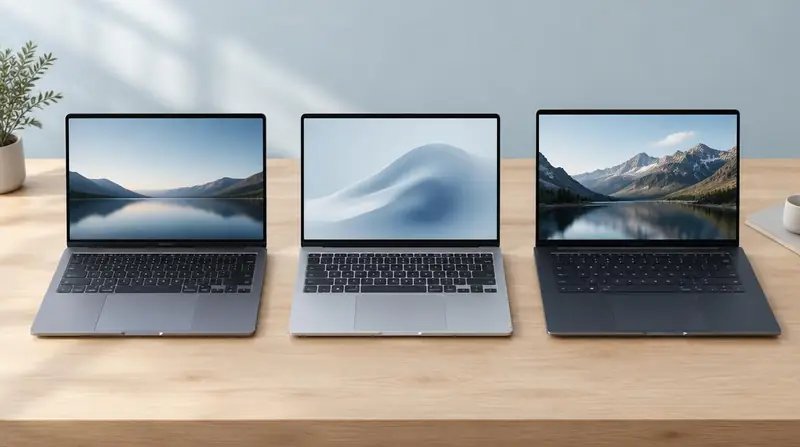
If you are asking which MacBook is best for college students, start with the MacBook Air—not the most expensive Pro. For most degrees, portability and enough memory matter more than extra processing power. Before buying in Kenya, check your course software and leave room in your budget for accessories, repairs and internet access.
The best choice for most students: MacBook Air
Choose a 13-inch MacBook Air with an M-series chip, Apple's processor family starting with M1. Aim for 16GB of unified memory—the working space apps use—to handle multitasking comfortably over several years.
A 256GB solid-state drive (SSD), the laptop's built-in storage, can work for documents and cloud-based study. Choose 512GB if you expect to keep large projects or videos offline. A newer model is useful, but not essential for essays, spreadsheets and lectures.
Should you buy a MacBook Air or Pro for university?
Buy the Air for most business, humanities, education and general programming courses. The 13-inch version is easier to carry; a 15-inch Air offers more screen space but takes up more room in your bag.
Consider a MacBook Pro for frequent demanding video editing, large software builds or other sustained workloads. Its active cooling uses fans to maintain performance during long tasks. A Pro is usually unnecessary for notes, browsing and presentations.
- Engineering, architecture and some accounting courses may require Windows-only software: ask your department before buying any MacBook.
- Do not assume a Pro solves software compatibility problems. Running Windows through virtual-machine software can add costs and may not support every required application.
Choosing within a Kenyan student budget
Treat these as broad planning bands, not current quotes: around KSh 50,000–80,000 may put a used or refurbished M1 Air within reach, while KSh 90,000–150,000 can open up newer Air options. Memory, storage, condition and warranty can shift prices substantially; compare current written offers.
An M1 Air with 8GB memory can still suit basic coursework if money is tight, but 16GB is preferable for heavier multitasking. Memory and internal storage cannot be upgraded later. Avoid choosing an older Intel MacBook simply because it carries the Pro name.
What to check on an ex-UK or refurbished MacBook
Ex-UK describes where a laptop was previously used, not its quality. Refurbishment standards vary, and an older M1 model has a shorter remaining support horizon than a newer Air; no fixed number of future updates is guaranteed.
- Check battery health and service warnings; ask about battery replacement costs.
- Test the screen, keyboard, camera, Wi-Fi, ports and charger. Check that the keyboard layout suits you.
- Have the seller remove Activation Lock and confirm setup does not require a previous owner's account or organisation's Remote Management enrolment.
- Get the warranty, battery coverage and return terms in writing.
Frequently asked questions
What's the best MacBook for college students?
For most students, choose a 13-inch MacBook Air with an M-series chip and 16GB memory. Pick the generation you can comfortably afford rather than sacrificing memory or warranty just to get a newer model.
Should I buy a MacBook Air or Pro for university?
Choose the Air unless your coursework regularly involves demanding, sustained processing. The Pro's extra cost is hard to justify for assignments, online classes and everyday coding.
Is a refurbished M1 MacBook Air still worth buying?
Yes, for basic coursework if its condition, battery and price make sense. Compare its total cost, including possible repairs, with newer alternatives, and remember that it is an older model with less remaining software-support runway.
Will a MacBook run all my university software?
Not necessarily: some specialist applications require Windows or particular hardware. Ask your department for the exact software list before paying. If those tools are central to your course, a Windows laptop may be the simpler and cheaper choice.
Advice for your work or course
Joo Tech Finder is an educational initiative by Joo Computers Ltd. Browse all 61 guides.