Buying Guides
Which MacBook Should You Buy for Video Editing in Kenya?

By Joo, 6 years advising buyers at Joo Computers Ltd
Published 18 November 2026 · Updated 18 November 2026 · 9 min read
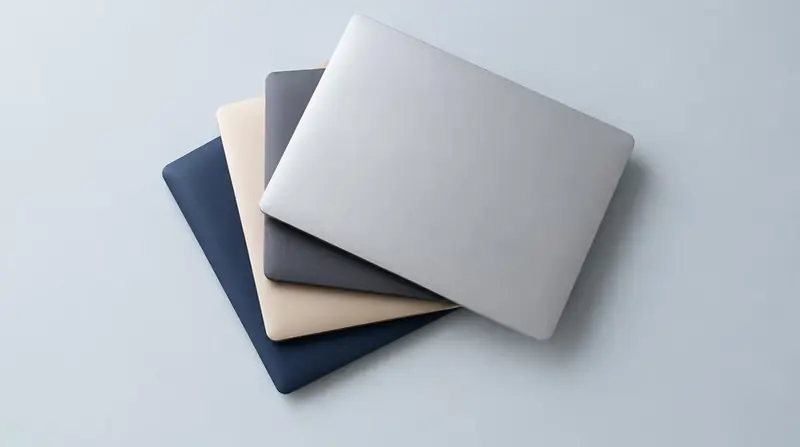
The best MacBook for video editing is not necessarily the newest or most expensive one. It is the model that can handle your footage, software and delivery schedule without leaving you short of money for storage, backups and software licences. For editors in Kenya, that decision often includes comparing a new MacBook Air with an older or ex-UK refurbished MacBook Pro. Start with what you edit: short social videos have very different demands from wedding films, documentaries and effects-heavy commercial work.
1. Start with your projects, not just the 4K label
4K describes the resolution, or amount of picture detail, but does not tell you how difficult footage will be to edit. The codec—the method used to compress video—along with frame rate, effects and the number of camera angles can make two 4K projects behave very differently.
Prioritise MacBooks with Apple silicon, Apple's M-series processors. They are generally a better starting point than older Intel MacBooks for efficiency and modern editing software. Still, an entry-level M-series chip and a Pro or Max chip are not interchangeable.
- Short social videos and simple interviews: an Apple-silicon Air with sufficient memory is a sensible starting point.
- Regular weddings, corporate films and multiple-camera edits: favour a MacBook Pro with a Pro-tier chip.
- Heavy noise reduction, complex visual effects or demanding colour work: consider more memory and a stronger graphics processor before paying for extra internal storage.
- Ask to test a short project using footage from your own camera and your usual effects.
2. Is a MacBook Air enough, or do you need a Pro?
A MacBook Air can edit 4K video. It suits straightforward cuts, basic colour adjustments, titles and occasional exports, especially when portability matters. Its fanless design is silent, but during sustained heavy work it may reduce performance to control heat.
A MacBook Pro uses fans to help maintain performance during longer workloads. That matters when exporting repeatedly, editing several camera angles together or using demanding effects. A Pro-tier chip also provides more processing and graphics resources than a comparable base chip.
Do not buy on the word “Pro” alone. Some MacBook Pro models use base M-series chips, and older 13-inch models differ substantially from 14-inch and 16-inch versions. Compare the exact chip, memory and condition. Choose the 16-inch mainly for workspace and sustained-work comfort, not because every editor needs it.
3. How much memory and storage do you need for 4K?
RAM is the working memory used by your apps. Apple calls it unified memory because the main processor and graphics processor share it. For a purchase intended for 4K editing, 16GB is a practical starting point; 24–32GB gives more room for demanding projects and several apps running together. Some Pro configurations offer 18GB or 36GB instead.
Consider 32–36GB or more for complex DaVinci Resolve projects, substantial effects work or frequent use of Adobe After Effects alongside your editor. More memory does not fix every slowdown, but too little can interrupt otherwise capable hardware. Memory cannot be upgraded after purchase on Apple-silicon MacBooks.
A 512GB internal SSD—a fast solid-state storage drive—is a sensible baseline if footage lives on an external drive. Choose 1TB for greater convenience with active projects, caches and applications. Internal storage is not practically upgradeable later, but external storage can expand your workspace.
- Avoid choosing 8GB for a new-to-you machine intended for regular professional 4K work.
- A 256GB model can work with external storage, but applications, temporary files and exports quickly make space management difficult.
- Use a fast USB-C or Thunderbolt external SSD; check its actual speed because the connector shape alone does not guarantee performance.
- Keep free space on working drives, and maintain a separate backup. An external editing drive is not itself a backup.
4. Choose around Final Cut Pro, Premiere Pro or DaVinci Resolve
Final Cut Pro is a strong reason to choose a Mac because it is designed for Apple's platform and often runs efficiently on Apple silicon. For straightforward editing, an Air with 16GB or more can be a practical match. Confirm current licensing terms and whether collaborators need projects in another application.
Premiere Pro makes sense when clients or colleagues already use Adobe, especially if you also need After Effects or Photoshop. For regular professional use, favour a MacBook Pro and 24–32GB or more of memory, depending on project complexity. Include ongoing software costs in your budget.
DaVinci Resolve combines editing, colour grading, audio and effects. Basic editing can work well on an Air, but advanced noise reduction and Fusion visual effects put more pressure on the GPU, the processor that handles graphics calculations. For these tasks, prioritise a Pro or Max chip and ample memory. Check whether your required features need the paid Studio edition.
- Use the software your clients and collaborators expect unless there is a clear reason to change.
- Check support for your camera's formats, plug-ins and required macOS version before buying.
- Test realistic effects and export settings: smooth playback of a basic clip does not prove a machine can handle your complete workflow.
5. Set a Kenyan budget for the complete setup
Treat the following KSh bands as broad shopping budgets, not live quotations. Kenyan prices vary with exchange rates, chip generation, memory, condition and warranty. Compare exact configurations across written quotes rather than comparing model names alone.
If your budget is tight, a well-checked refurbished Apple-silicon model with enough memory may be more useful than a newer machine with too little. However, a lower purchase price can be offset by battery replacement, repair costs or a weak warranty.
- Below KSh 100,000: expect significant used-market compromises. Be cautious about 8GB configurations and older Intel models; compare Windows alternatives if no suitable Mac fits.
- KSh 100,000–180,000: compare suitably configured Air models with older refurbished Apple-silicon Pro options, subject to local availability.
- KSh 180,000–300,000: compare higher-memory Air configurations against 14-inch Pro options, including refurbished Pro-chip models.
- Above KSh 300,000: justify higher-memory Pro or Max configurations through demanding workloads rather than buying the highest specification automatically.
- Reserve money for external working storage, a separate backup drive, software and any required card reader or hub.
6. Check ex-UK and refurbished MacBooks carefully
“Ex-UK” describes where a machine came from, not how thoroughly it was tested. “Refurbished” can mean anything from cleaning and basic checks to component replacement. Ask what work was done, who provides the warranty and what the return policy covers.
Older Intel MacBook Pros may look attractive for their price and memory capacity, but they can run hotter, have shorter battery life and face tighter software-support limits than Apple-silicon alternatives. Do not assume a particular number of remaining update years for any used Mac.
- Verify the exact chip, memory and storage in the Mac's settings rather than relying on the advert.
- Check battery health and cycle count together; neither alone tells the complete condition story.
- Inspect the screen, keyboard layout, hinges, ports, speakers and supplied charger, including suitability for Kenyan mains sockets.
- Have the seller erase and activate the Mac while connected to the internet. It should not request a previous owner's Apple Account or show unexpected Remote Management enrolment.
- Test playback and export with your own footage, and listen for unusual fan noise on Pro models.
- Get written warranty terms, an invoice and clear details about battery coverage and local repair arrangements.
7. Make the final choice—and leave room for a better workflow
For a mobile editor producing short, uncomplicated videos, choose an Apple-silicon Air with at least 16GB memory and preferably 512GB storage. For regular paid 4K work involving long timelines, several cameras or demanding effects, favour a 14-inch MacBook Pro with a Pro-tier chip and around 24–36GB memory, depending on the available configuration.
Before stretching your budget further, try proxies: smaller, easier-to-edit copies of your original footage. Your editor can use the originals for final output. Proxies can make an affordable MacBook much more workable, although they need preparation time and extra storage and cannot eliminate the processing demands of every effect.
Spend more when it solves a demonstrated bottleneck. If colour-critical delivery is part of your work, also budget for an appropriate, calibrated monitoring setup rather than assuming the laptop screen alone completes the job.
Frequently asked questions
Can a MacBook Air edit 4K wedding videos?
Yes, particularly with at least 16GB of memory and proxies for demanding footage. Long projects, multiple camera angles and repeated exports make a MacBook Pro with active cooling the more comfortable choice for regular wedding work.
Is a refurbished M1 Pro MacBook still worth considering?
It can be, if its condition, memory, software compatibility and price suit your needs. Check that it actually has the M1 Pro chip, rather than a base M1 chip in a MacBook Pro body. Compare battery condition and warranty against newer alternatives.
Should I buy more memory or a bigger SSD?
For most budget-limited 4K editors, prioritise sufficient memory first because you cannot add it later. External SSDs can provide more footage storage, although they add cables and another device to carry. A 512GB internal drive is a practical starting point.
Will a MacBook bought in the UK have warranty support in Kenya?
Do not assume an imported or refurbished Mac has an active Apple warranty or that every repair will be covered locally. Check its coverage status and confirm service eligibility with an Apple Authorised Service Provider in Kenya. A seller's warranty is separate and should be provided in writing.
Do I need a MacBook Max chip for DaVinci Resolve?
No: straightforward 4K editing does not automatically require a Max chip. It becomes more relevant for graphics-heavy tasks such as demanding noise reduction and complex effects. Test your actual workflow before paying for the upgrade.
Advice for your work or course
Joo Tech Finder is an educational initiative by Joo Computers Ltd. Browse all 61 guides.