Specifications
How Much RAM Do I Need?

By Joo, 6 years advising buyers at Joo Computers Ltd
Published 15 January 2025 · Updated 5 March 2025 · 5 min read
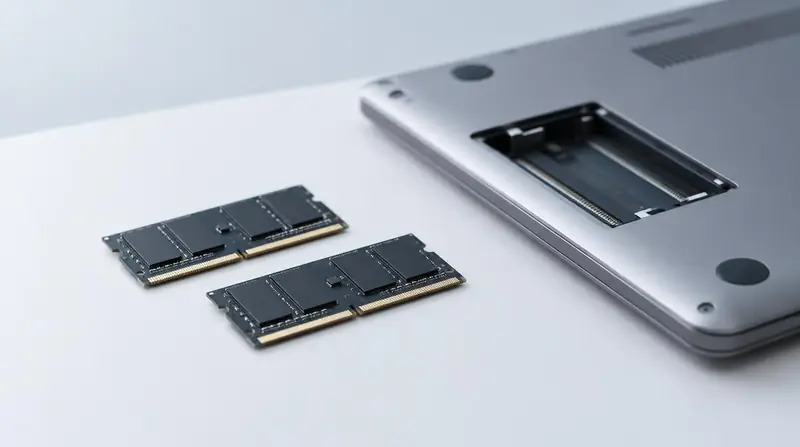
RAM determines how much you can do at once. When it runs out, the machine slows dramatically no matter how good the processor is.
Requirements by workload
- 8 GB: browsing, documents, streaming, light coursework. A workable minimum today, not a comfortable one.
- 16 GB: the realistic standard for development, office multitasking, statistics packages, light CAD and photo editing.
- 32 GB: video editing, 3D modelling, BIM, virtual machines, container-heavy development and data science on larger datasets.
- 64 GB and above: professional 3D, simulation, large-scale machine learning.
Check whether it can be upgraded
Many thin laptops solder memory to the board, making it permanent. Business-class machines more often have at least one accessible slot. If the RAM is soldered, buy the amount you will need in three years, not today.
Speed and channels
Two smaller modules usually outperform one large module because they enable dual-channel operation, which particularly benefits integrated graphics. Ask how the memory is configured, not just the total.
Frequently asked questions
Is 8 GB enough for a university student?
It is enough for writing, research and browsing. If your course involves programming, CAD, design or data analysis, plan for 16 GB.
Can I add RAM later?
Only if the machine has a free or accessible slot. Confirm this before buying if you plan to upgrade.
Read next
Advice for your work or course
Joo Tech Finder is an educational initiative by Joo Computers Ltd. Browse all 61 guides.